Set up your own network server
Run hive-net so your devices, guests and phone reach each other from different networks.
To reach your devices from anywhere, you run a small server of your own. If every device sits on one home or office network, you don't need it.
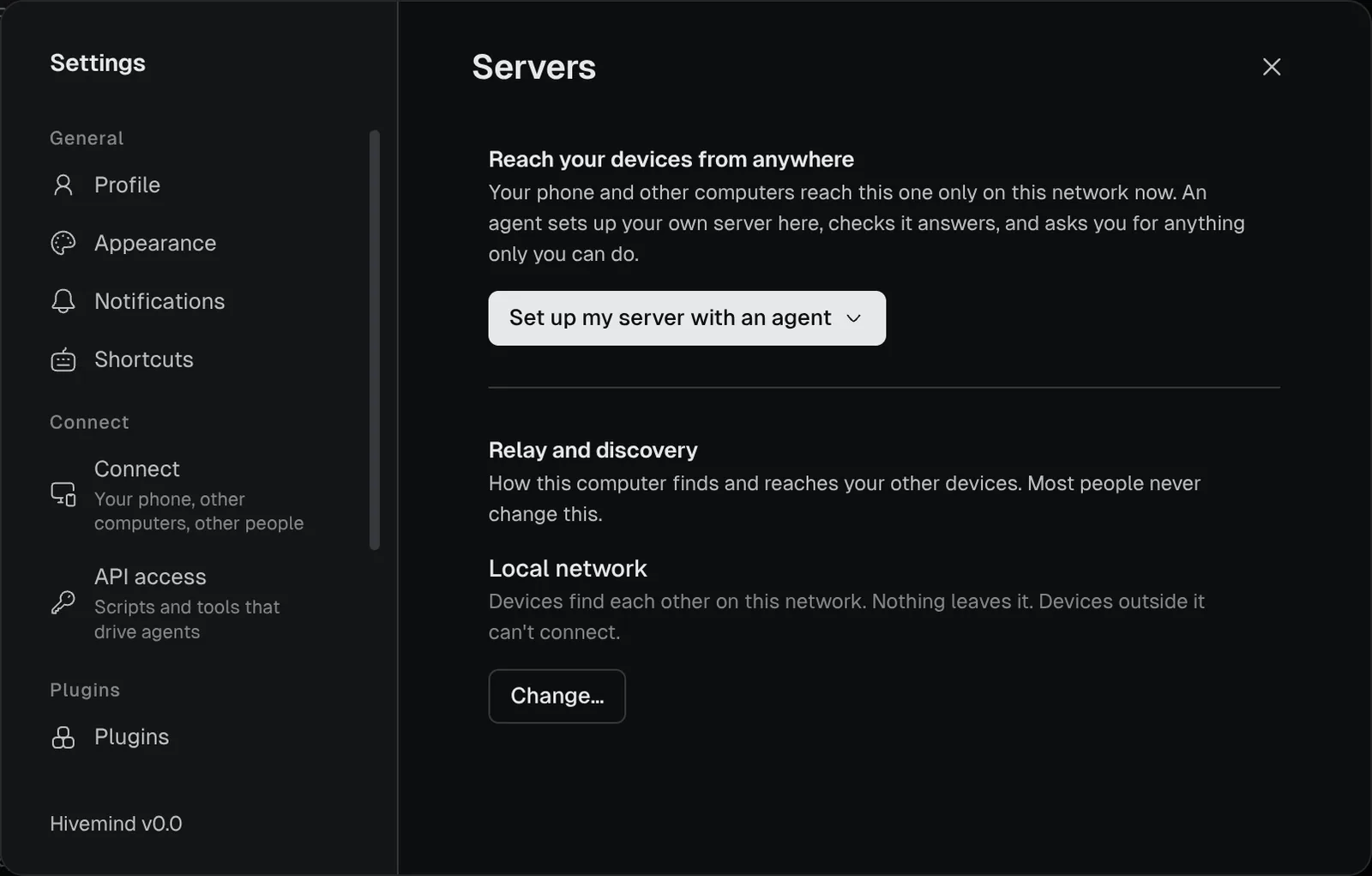
The brief the app gives an agent under **Set up my server with an agent**. Paste it into your coding agent on the computer that will run the server.
Show the prompt
Set up my own Hivemind network server on this computer, so my other devices reach it from anywhere and a phone can open hivemind in its browser.

First ask me how my devices should reach this computer, offering what fits this machine: a VPN such as Tailscale (if it is installed), a domain of mine pointing at a public address, a tunnel, or a port forwarded on my router. Then set it up:

- The server is `hive-net serve --all --url <the HTTPS address devices use> --data ~/hive-network --phone`, kept running in the background and started again after a restart (a user service); it serves the phone page of its own release, and an upgrade of hive-net starts the new one in its place; `--bind` where the HTTPS in front of it reaches it, or `--domain` (or `--cert` and `--key`) for it to serve HTTPS itself. hive-net is beside hive (`~/.hivemind-app/hive-net`, or on PATH).
- A phone's browser runs the page only over HTTPS with a trusted certificate: check that https://<address>/phone/manifest.webmanifest answers 200. Use a port nothing else on this machine listens on.
- Put this computer on the network: `hive network enrol-link --data ~/hive-network --uses 1`, then `hive network use <that link>`; `hive network show` says enrolled.
- Finish only when `hive network doctor` says every relay answers; Settings → Servers then shows the new network and checks it by itself.
- What only I can do (a sudo, a DNS record, a setting in an admin console or on my router), ask me and wait. Never type a password.

Then tell me the phone link and how to stop the server.

REFERENCE https://hivemind.griiken.com/guide/self-hosting.md
Who needs this
| You want to | Network server |
|---|---|
| Pair devices on the same home or office network | Not needed. Settings → Servers reads Local network. |
| Pair a device or invite a person on another network | Needed |
| Answer agents from your phone | Needed, with a public name and HTTPS |
| Keep agents running while your laptop sleeps | Needed |
There is no hosted server. The hive-net program comes with Hivemind, beside hive.
Where your server sits among your devices: Architecture overview. What it does: Devices and hive-net.
Words on this page. The relay and the lookup are two of your server's parts. To enrol a device is to let it use your server. Proof of work is a small puzzle a device solves to get in, on a server open to anyone.
Before you start
- A computer that stays on: a small server, a VM or a desktop.
- For a phone, a public name for it (such as
hive.example.com) and ports 80 and 443 open to the internet. - About 15 minutes.
Let an agent set it up
- Open Settings → Servers.
- Press Set up my server with an agent.
An agent starts with the brief above. It asks how your devices reach this computer. It asks you for anything only you can do.
Set it up yourself
This opens 443/tcp, 80/tcp, 7842/udp and 8443/tcp, and gets a certificate from Let's Encrypt.
Point your name at the server
Add a DNS record for hive.example.com that points at the server's public address.
Start the server
git clone https://github.com/dip497/hivemind && cd hivemind
HIVE_DOMAIN=hive.example.com HIVE_CONTACT=you@example.com \
  docker compose -f infra/compose.yml -f infra/compose.public.yml up -d
Check: the container's log prints the network's link, hivemind://network/….
On first start, the server makes the network's admin key, admin.key, in its data folder. Keep it safe: see Back up.
Put your devices on it
-
On the server, make one link per device:
hive network enrol-link --data /var/lib/hive-net --uses 1 -
On each device, open Settings → Servers → Change…, paste the link and press Use. Or run
hive network use '<link>'.
People you invite need no link of their own. Your invite carries it.
Check it worked
hive network doctorEach relay prints a line starting with ✓. Settings → Servers shows the new network and checks it by itself.
If it didn't
| You see | Do |
|---|---|
no answer from https://… | The server is down, or a firewall blocks its port. Check the ports. |
| The phone page does not open | https://<your name>/phone/manifest.webmanifest must answer 200, with a trusted certificate. |
| A device is refused | Its enrol link was used up or has expired. Make a new one. |
More in Troubleshooting.
Related
- hive-net reference: every flag, port, certificate option, push key and backup.
- Devices and hive-net
- To leave a network: Settings → Servers → Change… → Local network.
Last validated for Hivemind 2026.10.3.