Track work as issues
Keep a project's work as Markdown issues that you and your agents read, pick up and close.
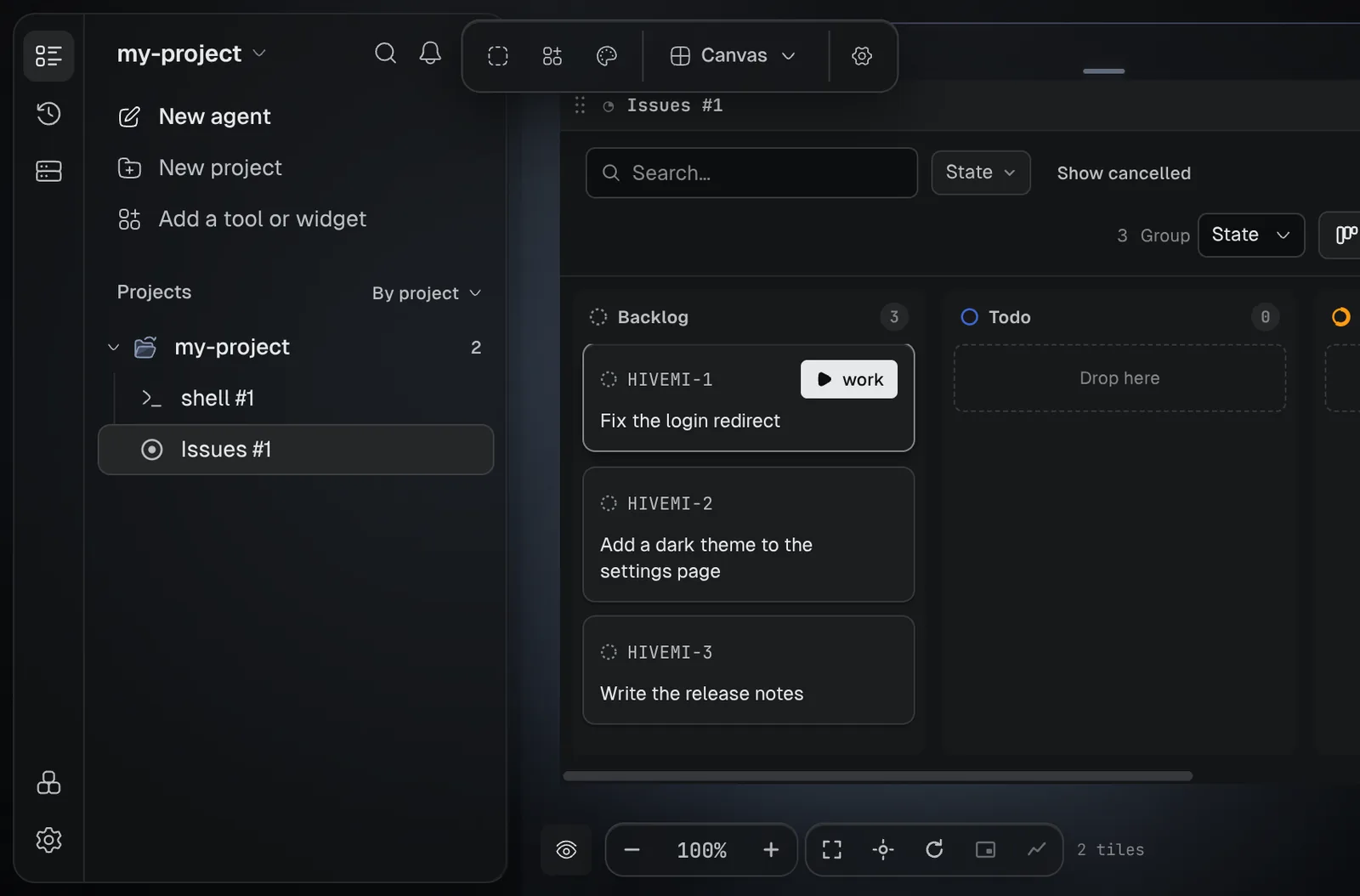
Write down the work, then let agents pick it up. Each issueA piece of work written as a Markdown file in .hivemind/, which you and your agents read and update.Glossary → is a Markdown file in the project, so the Issues board updates as an agent works.
Paste this into your coding agent to start tracking this project's work as Hivemind issues.
Show the prompt
Turn on Hivemind issues in this project and file the first ones.

1. Check Hivemind is installed: `hive --version` prints a version.
2. Ask me for a prefix for issue ids: 2 to 10 capital letters or digits, starting with a letter (for example WEB).
3. In the project folder, run `hive init --prefix <PREFIX>`. It adds the .hivemind/ folder, agent skills and a CLAUDE.md section. If I only want the issues, use `hive init --prefix <PREFIX> --no-agentic` instead.
4. Ask me for up to five pieces of work. For each, run `hive new "<title>" --ac "<criterion one> || <criterion two>"`. The || separates acceptance criteria.
5. Check: `hive list --json` lists them, with ids <PREFIX>-1, <PREFIX>-2 and so on.

Do not commit anything without asking me. At the end, show me the ids and titles, and tell me that the work button on an issue card in the Issues tool starts an agent on it.

REFERENCE https://hivemind.griiken.com/guide/issues.md
Turn issues on
- Press Add, choose the Tools tab, then Issues.
- Type an Issue prefix, such as
MYP, and press Set up issues. - Check: the Issues tile shows an empty board.
The prefix is 2 to 10 capital letters or digits, starting with a letter. Issue ids are MYP-1,
MYP-2, and so on.
File an issue
To file one, run hive new with a title. --ac adds acceptance criteria, the checks that say the
work is done. || separates them:
hive new "Fix token expiry" --ac "boundary test passes || manual check passes"Check: hive list --state todo or the board shows it. Other everyday commands:
hive show MYP-1
hive update MYP-1 --assignee claude --assignee-type agent
hive close MYP-1                  # done; --reason "…" makes it cancelled
hive reopen MYP-1                 # back to todo
Hand an issue to an agent
- On the Issues board, press work on a card. In an open issue, press Work on this.
- Check: an agent's tile opens with the issue as its task, ready for you to send.
- Send it. The agent follows the steps below and ticks each criterion on the board.
An agent started with hive init's skills follows these steps:
Read
hive show MYP-42 --json: the issue and its acceptance criteria.
Claim
hive ctl set-state MYP-42 in_progress, and it assigns itself.
Plan
hive ctl add-comment MYP-42 "plan: …".
Work
After each criterion, hive ctl mark-acceptance MYP-42 <n>, counting from 0.
Check
It runs the tests and build, and commits with the issue id.
Hand back
It ends every session with hive ctl set-state: in_review, done, in_progress --note,
or cancelled --note.
.hivemind/.agent.md sums up the open issues, so a new agent session reads one file.
hive agent context writes it again.
Move an issue through its states
- Usual order:
backlog→todo→in_progress→in_review→done. cancelledcan be set from any state, and any state can be set from any other: the order is not enforced.hive closesetsdone,hive close --reasonsetscancelled, andhive reopensetstodo.
Every change is a line in the issue's activity, signed by the person or agent who made it.
Split and link issues
hive task MYP-3 add "Write the test"     # MYP-3.1
hive new "…" --parent MYP-3
hive relate MYP-3 OPS-7 --type blocks    # written on both issues
hive move MYP-3 OPS                      # to another project; --copy keeps the original
Link types are relates, blocks, blocked-by, duplicates, parent-of and child-of. To use
ids from another project, run hive workspace register in both, then hive workspace list.
What is in the folder
.hivemind/
├── issues/MYP-1.md   one file per issue (sub-issues in issues/MYP-1/)
├── config.yaml       prefix and next id
├── review.json       comments left on a diff
└── .agent.md         a summary of open issues for agents (not committed)
If it didn't
| You see | Do |
|---|---|
no .hivemind/ found in this directory or any parent | Run hive init --prefix <PREFIX> in the project folder first. |
| The prefix is refused | Use 2 to 10 capital letters or digits, starting with a letter. |
| The board does not show a new issue | Check it was filed in the same project folder. |
Related
- Coordinate agents
- Review an agent's changes
- CLI reference: every issue command.
Last validated for Hivemind 2026.10.3.