Build a widget
Make a small live card for your canvas in a few lines of JavaScript, try it, and share it.
Build a counter widgetA small live card on the canvas, drawn by a few lines of code.Glossary →, put it on your canvas and change it. It takes about ten minutes.
Paste this into your coding agent to build a widget, put it on your canvas and publish it.
Show the prompt
Build a Hivemind widget (a small live card on the canvas, drawn by its own code in a worker) and, if I want, publish it on HiveHub.

1. Ask me what the widget should show and do, and its name (lowercase letters, digits and dashes).
2. Start it: `hive plugins new widget <name>`. It takes the owner from the GitHub account `gh` is signed in as. If `gh` is not signed in, ask me for my GitHub login and pass `--owner <login>`. Check the folder has `widget.json`, `widget.js`, `hive.d.ts`, `README.md` and `PROMPT.md`.
3. Read `PROMPT.md` in full: it is the whole contract. Write what I asked for under its "What I want". The widget has no network and no files. What it draws and its state are each up to 16 KB.
4. Check it, then install it, again after each change: `hive plugins check <folder>` must say ok (it names the file and line of each problem), then `hive plugins install <folder>`. Check it prints "app updated".
5. Put one on the canvas: `hive ctl plugin open widget:@owner/name`. If `hive plugins list` shows it off, run `hive plugins enable widget:@owner/name`.
6. Declare one command in `widget.json` under "commands", answered with `hive.hm.onCommand`, that reports what the widget shows. Check it with `hive ctl plugin call @owner/name <command>`.
7. Done means: `hive plugins list` shows it on with no problem, it reads well in the light and the dark theme, and `README.md` says what it does.
8. Publish only if I say so. Follow the "Publish a plugin" page (https://hivemind.griiken.com/guide/publish-to-hivehub.md): push the folder to a GitHub repository I name, then `hivehub publish <folder>`. If I must sign in, ask me to open the link and type the code myself.

At the end, tell me the widget's id, the command others use to install it (`hive plugins install @owner/name`), and anything you could not check.

REFERENCE https://hivemind.griiken.com/guide/widgets.md
What others have built
Each of these is a widget on HiveHub, as @dip497/<name>.
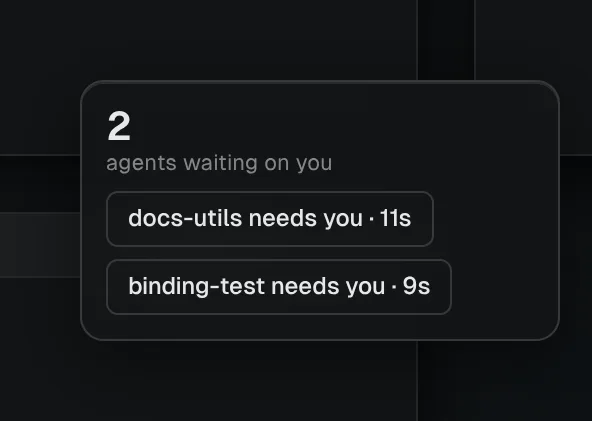 waiting-on-youThe agents waiting on you, and for how long.
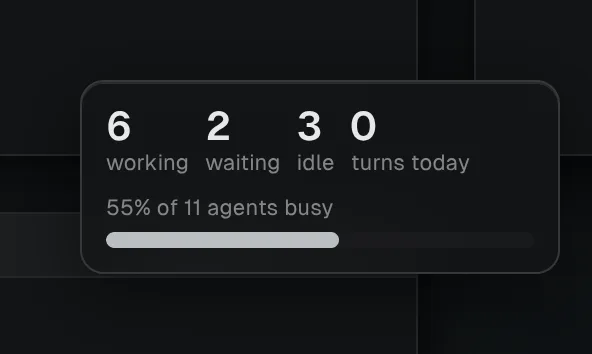 agent-pulseHow many agents are busy right now.
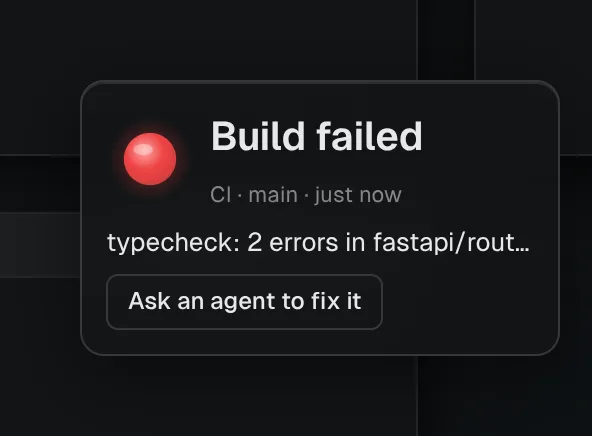 ci-lightA light your CI or hooks turn green or red.
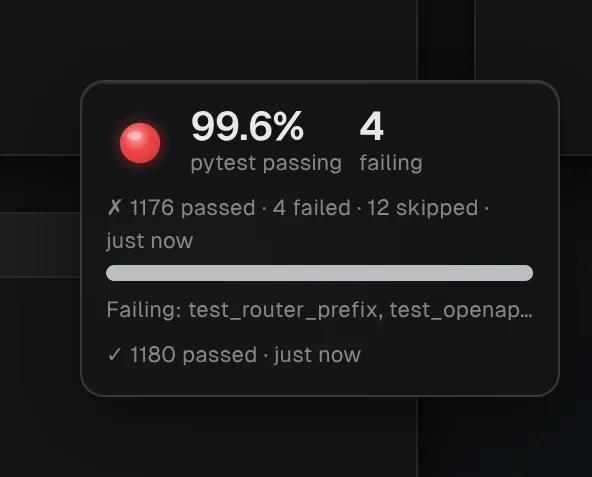 test-meterPassing and failing tests, as your scripts report them.
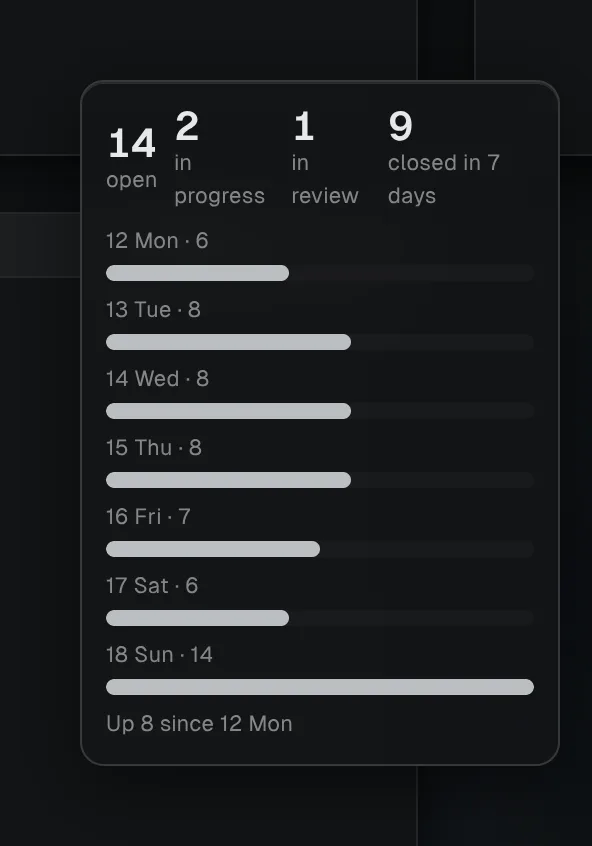 issue-burndownOpen issues, day by day.
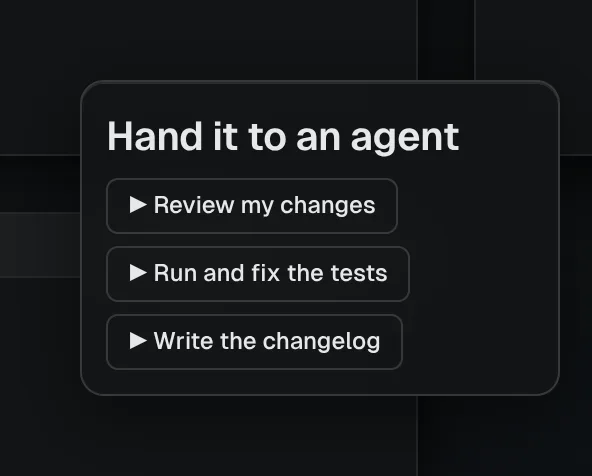 launchpadButtons that start agents with jobs you set.
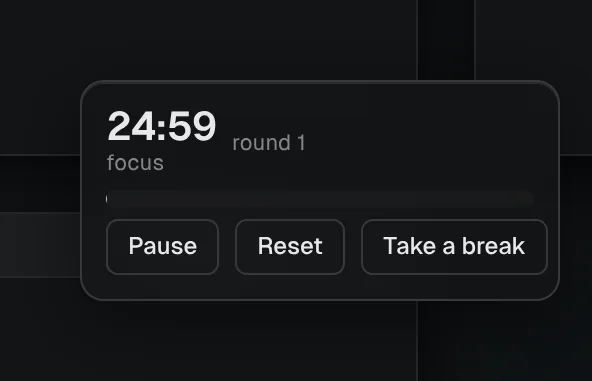 focus-timerA timer for a block of focused work.
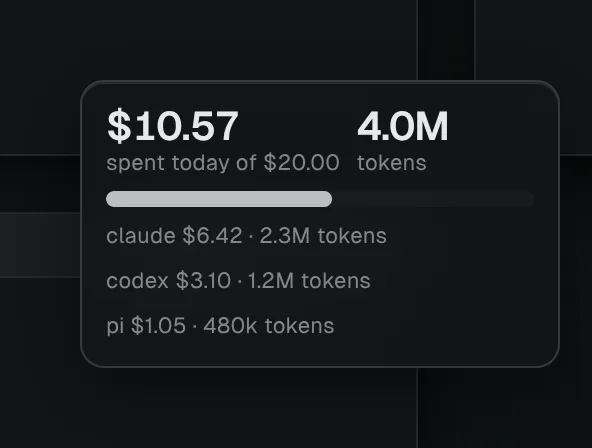 spend-todayWhat your agents report they spent today.
 dogA dog that walks the screen and barks when an agent waits on you.
What you'll learn
- How to start a widget from the starter and put it on the canvas.
- How a widget draws, keeps state and answers a button.
- How to change it and see the change.
Before you start
- Hivemind is installed and open on a project. See Install and run your first agent.
- You know a little JavaScript.
Start the widget
Make a starter widget called counter:
hive plugins new widget counterCheck: it prints created @<your login>/counter. The counter folder holds widget.json,
widget.js, hive.d.ts, README.md and PROMPT.md. If it asks for an owner, add
--owner <your GitHub login>.
Install it
hive plugins install counterCheck: it prints installed @<your login>/counter (Counter) and app updated.
Put it on the canvas
Open the toolbar's Add menu and pick Counter.
Check: a card shows 0 and presses, with a Press button. Press it and the number goes up.
Read the code
The starter is two files. widget.json names the widget and its options. widget.js draws
it and answers its button.
{
  "id": "@you/counter",
  "name": "Counter",
  "version": "0.1.0",
  "description": "Counts presses.",
  "icon": "icon.svg",
  "options": [{ "id": "step", "label": "Step", "type": "number", "min": 1, "max": 100, "default": 1 }]
}
hive.state is saved with the workspace, so the count survives a restart.
Change it
In widget.js, change label: "presses" to label: "clicks". Then install it again:
hive plugins install counterCheck: the card now reads clicks.
Set its option
Hover the card and press its gear. Set Step to 5.
Check: each press now adds 5. Everyone in the workspace sees the same option.
What you did
- You started a widget with
hive plugins new widgetand installed it withhive plugins install. - You drew it with
hive.render, kept its count inhive.state, and answered its button. - You changed it and gave it an option people can set.
Next
- Want an agent to build the rest? Write your idea at the top of
PROMPT.mdand hand it the file. - Share it: Publish a plugin on HiveHub.
- Ship it with your other tools, widgets and views as one: Packages.
- Something wrong? See Troubleshooting.
Widget reference
What your code gets
| Call | What it does |
|---|---|
hive.render(tree) | draws the widget |
hive.state, hive.setState(value) | what it keeps, saved in the workspace |
hive.options | its options, as set, or else their defaults |
hive.on("options", fn) | the person changed its options |
hive.notify(text) | shows a desktop notification, as the person's notification settings allow (Do Not Disturb mutes it), its text cut to 200 characters. At most one shows every 10 seconds: what it sends in between shows once when the time is up, the latest text and how many more came ("and 2 more") |
hive.moveTo({ x, y }, { over }) | moves its card: x and y from 0 to 1 across the screen (y: "bottom"), over over ms |
hive.spot | where it last moved to |
hive.reducedMotion, hive.on("motion", fn) | the person asked for less motion: hold still and do not move the card. A sprite already stops on its first frame |
hive.on("click", fn) | its card was clicked, not on a button |
hive.on("start", fn) | it was placed, or the app opened |
hive.on("action", fn) | one of its buttons was pressed; fn gets the button's action |
hive.on("hm", fn) | the values in hive.hm arrived or changed |
hive.hm | the workspace, as a view sees it (below) |
It runs in a worker: no network, no files. What it draws and its state are each up to 16 KB.
What it can draw
| Node | Fields |
|---|---|
stack, row | children; on the outermost stack, tint colours the card as a note: yellow, peach, pink, violet, blue or green |
text | text, size: "large", muted: true, wrap: true |
number | value, label |
meter | value, max, label |
button | label, action |
image | src (an image in its folder), w, h |
sprite | src (a sheet of frames), frameW, frameH, row, frames, fps, scale, flip |
A text or a button's label longer than the card is cut short with "…"; a button shows the whole
label when the pointer rests on it. wrap: true wraps a text onto more lines instead.
In a row, a stack or a meter fills the width left over, so the bars of rows drawn one under
another end together. A meter's label is also its name for a screen reader.
Images (.png, .gif, .webp, .jpg, .svg, up to 1 MB) go in the widget's folder.
"chrome": "none" drops the card, for a pet that walks the screen.
Options
options uses the settings fields every plugin uses: see Plugin settings. What
someone sets is shared with everyone in the workspace.
A widget without code
A widget can be data and a drawing alone. The built-in Sticky note, Checklist and Text are made this way:
{
  "name": "Sticky note",
  "placement": "board",
  "size": { "w": 220, "h": 180 },
  "options": [{ "id": "color", "label": "Colour", "type": "choice",
                "values": ["yellow", "pink", "blue"], "default": "yellow" }],
  "draw": { "type": "stack", "fill": true, "tint": "$options.color",
            "children": [{ "type": "textarea", "placeholder": "Write something" }] }
}
"placement": "board" pins it to the canvas, so it moves with its frame. input, textarea and
list are what people write in. Two people typing at once merge, and undo takes it back.
Read and drive the workspace
hive.hm is the same client a view has (Write a view). It is held to the
permissions widget.json asks for:
{ "name": "Agents at work", "permissions": ["workspace:spawn", "workspace:prompt"] }hive.hm.onEvents(["turn", "needsInput"], (e) => hive.notify(`${e.kind} in ${e.tileId}`));
hive.on("hm", draw);A button that goes to an agent calls hive.hm.commands.focusTile(tileId). The view on screen shows
it: the canvas moves to the tile, and a view such as Archipelago is asked to show it (its
hm.onReveal).
An agent can run a command the widget declares under "commands". The widget answers with
hive.hm.onCommand(name, handler):
hive ctl plugin call @dip497/progress add '{"text":"Run the tests"}'Where it runs
- The window that runs
widget.js: the first of your own windows with the workspace open. - It → guests' windows, your other windows on any device, and your phone through a widgets view: what it draws, live.
- Any of them → that window: a press. Guests can press only if they can edit the board.
- Nothing it draws is saved.
Nobody else's computer runs your code. On your phone, a view that shows widgets draws them
(hive plugins install @dip497/widgets).
Commands
hive plugins new widget <name> [--dir folder]   # a starter, with PROMPT.md
hive plugins check <folder>                     # its types, its widget.json, and its first drawing, with file:line
hive plugins install <folder>|@owner/name
hive plugins list --kind widget                 # the app's own widgets and the ones you added
hive plugins remove <id>                        # what each placed one holds stays on its canvas
Last validated for Hivemind 2026.10.3.