# Workspaces, frames and tiles
> How Hivemind arranges a project: a workspace holds frames, each frame is bound to one folder, and every tile in it runs there.
Source: https://hivemind.griiken.com/guide/workspaces/
A workspace
is one project folder and everything open for it: the place your agents work, and the place
they arrange as they go.
{`
Explain my open Hivemind workspace to me. Do not change anything.
1. Run \`hive ctl frames --json\` and \`hive ctl agents --json\`. If either exits 3, tell me Hivemind is not open on this project and stop.
2. For each frame, tell me its name, the folder it is bound to, and whether that folder is the project, a git worktree (check with \`git worktree list\`) or a folder on another machine.
3. For each agent, tell me which frame it is in and what it is doing or waiting on.
4. Point out any frame with no agent, and any agent that waits on me.
`}
 ## How it works [#how-it-works]

- **Workspace**: one project folder. It holds frames, each bound to one folder.
- **Frame on the project folder**: its tiles run in that folder. The default.
- **Frame on a git worktree**: its tiles run on that branch, nested under the project. See [Work in a git worktree](https://hivemind.griiken.com/guide/git-worktree/).
- **Frame on a machine**: its tiles run on another computer. See [Machines and hosts](https://hivemind.griiken.com/guide/remote-machines/).
- **Tiles**: an agent, a terminal, the Code tile, a browser or a tool. Each starts in its frame's folder.
A frame's ⋯ menu also arranges its tiles (**Arrange**), starts an agent in it, and adds a tool or
widget. Deleting a frame that holds tiles asks whether to **Keep them** or close them with it.
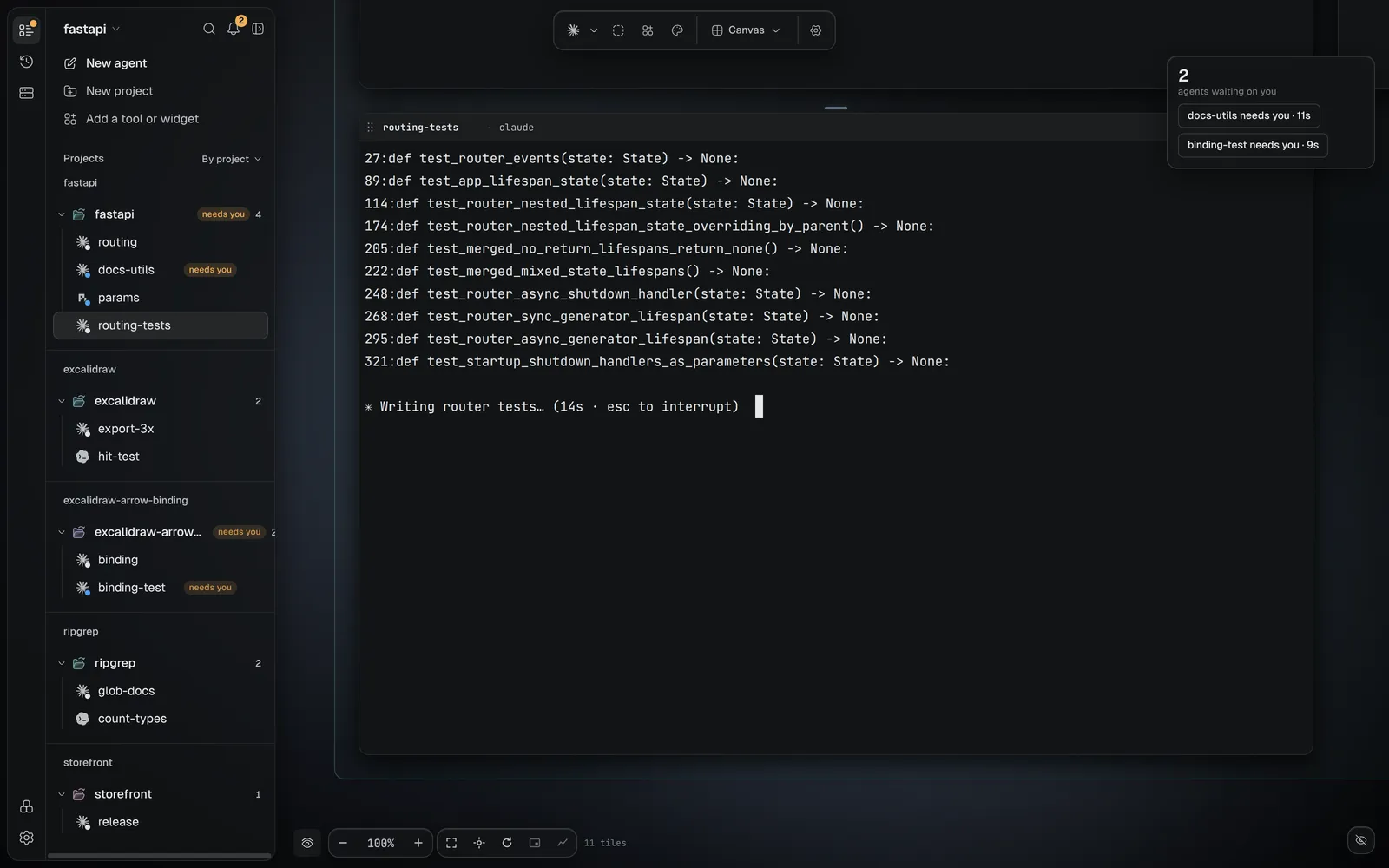
### The Layers panel [#the-layers-panel]
The Layers panel
lists everything open. Its rail picks what it shows:
| Pane | Lists |
|---|---|
| **Tiles** | **Pinned**, then each project with its worktrees and tiles. Agents a tile started fold under it. |
| **Recents** | past agent sessions, newest first. One click resumes one. |
| **Machines** | this computer and every machine you added, with how many agents there need you. |
Its title menu switches workspace, opens a folder, joins a shared workspace and switches views.
Its bell jumps to the next agent that needs you. A row's ⋮ menu pins, renames, closes, snoozes
or puts an agent to sleep. Its keys are on [Keyboard shortcuts](https://hivemind.griiken.com/guide/keyboard-shortcuts/).
The **View** menu over the tiles filters, groups and sorts them. Your pins, snoozes and what you
have read are yours alone, on this computer, even in a shared workspace.
### What is kept [#what-is-kept]
Closing the window stops nothing: see [What is kept](https://hivemind.griiken.com/guide/background-process/#what-is-kept). Frames,
tile positions, the viewport and open files are saved per project on this computer, not in the
repository: see [Data and where it is stored](https://hivemind.griiken.com/guide/data-and-storage/).
## Why it works this way [#why-it-works-this-way]
A frame binds a folder so that a tile never asks where to start. You choose the place once, on
the frame, and every tile follows it.
## What to do with it [#what-to-do-with-it]
- [Work in a git worktree](https://hivemind.griiken.com/guide/git-worktree/)
- [Run many agents at once](https://hivemind.griiken.com/guide/run-many-agents/)
- [Switch views](https://hivemind.griiken.com/guide/views/)
- [Run agents on another computer](https://hivemind.griiken.com/guide/machines/)