# Keyboard shortcuts
> Every Hivemind key in one place: anywhere in the app, on the canvas, in the Layers panel and in the Windows view.
Source: https://hivemind.griiken.com/guide/keyboard-shortcuts/
Every key: the Mac key first, then the key on Windows and Linux. The app lists the same keys in **Settings → Shortcuts**, for your computer.
A key named by a sign, such as `-` or `=`, is the one your keyboard types, wherever it is on your
layout: Ctrl+- shrinks a terminal's text on a German or French keyboard and on the number pad. A
digit is the key in the top row, or on the number pad while Num Lock is on. When a digit key types a
sign that names a key, the sign wins: on a French keyboard Ctrl+6 types `-`, so it shrinks the text,
and tile 6 has no key there.
{`
Using the Hivemind keyboard shortcuts on this page, make me a one-screen cheat sheet.
Ask me whether I use a Mac, and whether I mostly work in the Canvas or the Windows view. Then list only the keys for my platform and view, grouped by what I want to do: start things, move around, find agents that wait on me, and arrange tiles. Do not change any settings.
`}
The app lists the same keys in **Settings → Shortcuts**.
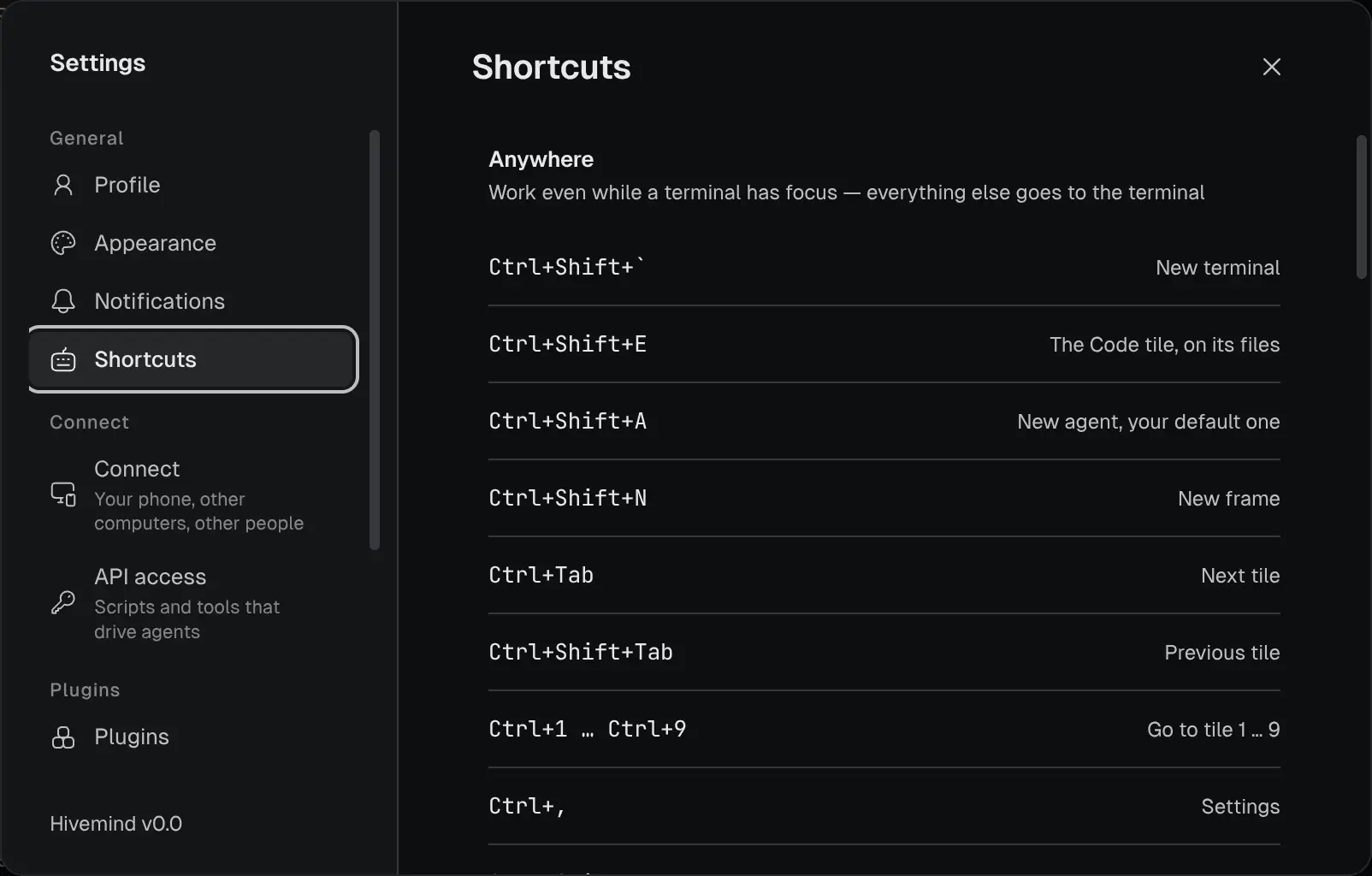 ## Anywhere [#anywhere]
These work even while a terminal has focus.
| Keys | Does |
|---|---|
| ⇧⌘\` / Ctrl+Shift+\` | New terminal |
| ⇧⌘A / Ctrl+Shift+A | New agent, your default one |
| ⇧⌘E / Ctrl+Shift+E | The Code tile, on its files |
| ⇧⌘N / Ctrl+Shift+N | New frame |
| ⌘1 … ⌘9 / Ctrl+1 … Ctrl+9 | Go to tile 1 … 9 |
| ⌃Tab / Ctrl+Tab | Next tile |
| ⌃⇧Tab / Ctrl+Shift+Tab | Previous tile |
| ⌘, / Ctrl+, | Settings |
| ⌘. / Ctrl+. | Focus the selected tile |
| ⇧⌘F / Ctrl+Shift+F | Fit the selected terminal to the screen, and back |
| ⇧⌘0 / Ctrl+Shift+0 | Size the selected terminal's text to the screen |
| ⌘B / — | Show or hide the Layers panel. Windows and Linux keep Super+B for themselves: use Ctrl+B on the canvas. |
| F11 | Full screen |
| ⌘Q / Ctrl+Q | Quit, asking first while agents or terminals run |
## On the canvas [#on-the-canvas]
These work when no terminal or editor has focus.
| Keys | Does |
|---|---|
| ⌘E / Ctrl+E | Switch views, in any view |
| ⌃B / Ctrl+B | Show or hide the Layers panel |
| 1 | New terminal |
| 2 | New agent, your default one, in the selected frame |
| 3 | The Code tile, on its files |
| 6 | New frame |
| 7 | New browser |
| ⌫ / Backspace | Delete the selected widget or arrow. ⌦ / Delete does too. |
| ⌘D / Ctrl+D | Duplicate the selected widget |
| ⌘Z / Ctrl+Z | Undo on the board |
| ⇧⌘Z / Ctrl+Shift+Z | Redo on the board. ⌘Y / Ctrl+Y does too. |
| ⌘= / Ctrl+= | Zoom in |
| ⌘- / Ctrl+- | Zoom out |
| ⌘0 / Ctrl+0 | Zoom to 100% |
| Esc | The first that applies: stop drawing an arrow, leave full screen, deselect on the board, or fit everything in view |
| ⇧Esc / Shift+Esc | Undock a tile from a scene view |
| ⌘O / Ctrl+O | Open a folder as the project |
| ⌘R / Ctrl+R | Open a recent project |
| . | Focus the selected tile |
| ⌘W / Ctrl+W | Close the selected tile |
| F2 | Rename the selected frame |
Inside an editor, ⌘= / Ctrl+=, ⌘- / Ctrl+- and ⌘0 / Ctrl+0 size its text instead, as in a terminal.
## In the Layers panel [#in-the-layers-panel]
| Keys | Does |
|---|---|
| Hold ⌘ / Ctrl | Show each row's number, for ⌘1 … ⌘9 / Ctrl+1 … Ctrl+9 |
| Enter | Go to the selected row's tile |
With a row's ⋮ menu open:
| Key | Does |
|---|---|
| P | Pin or unpin |
| U | Mark as read or unread |
| R | Rename |
| D | Close |
## In the Windows view [#in-the-windows-view]
These work when no terminal or field has focus: there the key is the program's.
| Keys | Does |
|---|---|
| `⌘\` / `Ctrl+\` | Split the pane right |
| `⌘⇧\` / `Ctrl+Shift+\` | Split the pane down |
| ⌘⌥ + arrow / Ctrl+Alt + arrow | Move to the pane in that direction |
| ⌘⇧Enter / Ctrl+Shift+Enter | Show the pane alone, or bring the others back |
## In a terminal [#in-a-terminal]
Every other key goes to the program.
| Keys | Does |
|---|---|
| ⌘C / Ctrl+C | Copy the selection. With nothing selected, the key goes to the program. |
| ⇧⌘C / Ctrl+Shift+C | Copy the selection |
| ⇧Enter / Shift+Enter | A new line in an agent's prompt |
| ⇧Esc / Shift+Esc | Undock the terminal from a scene view, and give your keys back to the view. When it is not docked, the key goes to the program. |
| ⌘= / Ctrl+= | Bigger text |
| ⌘- / Ctrl+- | Smaller text |
| ⌘0 / Ctrl+0 | Text back to its size |
| ⇧⌘K / Ctrl+Shift+K | Take back the keyboard from a guest |
⌘ + click / Ctrl + click opens a link.
## Anywhere [#anywhere]
These work even while a terminal has focus.
| Keys | Does |
|---|---|
| ⇧⌘\` / Ctrl+Shift+\` | New terminal |
| ⇧⌘A / Ctrl+Shift+A | New agent, your default one |
| ⇧⌘E / Ctrl+Shift+E | The Code tile, on its files |
| ⇧⌘N / Ctrl+Shift+N | New frame |
| ⌘1 … ⌘9 / Ctrl+1 … Ctrl+9 | Go to tile 1 … 9 |
| ⌃Tab / Ctrl+Tab | Next tile |
| ⌃⇧Tab / Ctrl+Shift+Tab | Previous tile |
| ⌘, / Ctrl+, | Settings |
| ⌘. / Ctrl+. | Focus the selected tile |
| ⇧⌘F / Ctrl+Shift+F | Fit the selected terminal to the screen, and back |
| ⇧⌘0 / Ctrl+Shift+0 | Size the selected terminal's text to the screen |
| ⌘B / — | Show or hide the Layers panel. Windows and Linux keep Super+B for themselves: use Ctrl+B on the canvas. |
| F11 | Full screen |
| ⌘Q / Ctrl+Q | Quit, asking first while agents or terminals run |
## On the canvas [#on-the-canvas]
These work when no terminal or editor has focus.
| Keys | Does |
|---|---|
| ⌘E / Ctrl+E | Switch views, in any view |
| ⌃B / Ctrl+B | Show or hide the Layers panel |
| 1 | New terminal |
| 2 | New agent, your default one, in the selected frame |
| 3 | The Code tile, on its files |
| 6 | New frame |
| 7 | New browser |
| ⌫ / Backspace | Delete the selected widget or arrow. ⌦ / Delete does too. |
| ⌘D / Ctrl+D | Duplicate the selected widget |
| ⌘Z / Ctrl+Z | Undo on the board |
| ⇧⌘Z / Ctrl+Shift+Z | Redo on the board. ⌘Y / Ctrl+Y does too. |
| ⌘= / Ctrl+= | Zoom in |
| ⌘- / Ctrl+- | Zoom out |
| ⌘0 / Ctrl+0 | Zoom to 100% |
| Esc | The first that applies: stop drawing an arrow, leave full screen, deselect on the board, or fit everything in view |
| ⇧Esc / Shift+Esc | Undock a tile from a scene view |
| ⌘O / Ctrl+O | Open a folder as the project |
| ⌘R / Ctrl+R | Open a recent project |
| . | Focus the selected tile |
| ⌘W / Ctrl+W | Close the selected tile |
| F2 | Rename the selected frame |
Inside an editor, ⌘= / Ctrl+=, ⌘- / Ctrl+- and ⌘0 / Ctrl+0 size its text instead, as in a terminal.
## In the Layers panel [#in-the-layers-panel]
| Keys | Does |
|---|---|
| Hold ⌘ / Ctrl | Show each row's number, for ⌘1 … ⌘9 / Ctrl+1 … Ctrl+9 |
| Enter | Go to the selected row's tile |
With a row's ⋮ menu open:
| Key | Does |
|---|---|
| P | Pin or unpin |
| U | Mark as read or unread |
| R | Rename |
| D | Close |
## In the Windows view [#in-the-windows-view]
These work when no terminal or field has focus: there the key is the program's.
| Keys | Does |
|---|---|
| `⌘\` / `Ctrl+\` | Split the pane right |
| `⌘⇧\` / `Ctrl+Shift+\` | Split the pane down |
| ⌘⌥ + arrow / Ctrl+Alt + arrow | Move to the pane in that direction |
| ⌘⇧Enter / Ctrl+Shift+Enter | Show the pane alone, or bring the others back |
## In a terminal [#in-a-terminal]
Every other key goes to the program.
| Keys | Does |
|---|---|
| ⌘C / Ctrl+C | Copy the selection. With nothing selected, the key goes to the program. |
| ⇧⌘C / Ctrl+Shift+C | Copy the selection |
| ⇧Enter / Shift+Enter | A new line in an agent's prompt |
| ⇧Esc / Shift+Esc | Undock the terminal from a scene view, and give your keys back to the view. When it is not docked, the key goes to the program. |
| ⌘= / Ctrl+= | Bigger text |
| ⌘- / Ctrl+- | Smaller text |
| ⌘0 / Ctrl+0 | Text back to its size |
| ⇧⌘K / Ctrl+Shift+K | Take back the keyboard from a guest |
⌘ + click / Ctrl + click opens a link.